Available on plansConnectManaged
What the report covers
- Where you appear on Google: we check selected search phrases and locations in regular search results and in Google Maps results for nearby businesses. Regular search results are the web pages shown without an ad.
- Changes since earlier reports: this month’s checks are compared with earlier reports when saved results are available.
- Where your business is listed: the report shows whether your business appears on websites that list businesses and compares it with nearby competitors.
- Suggested next steps: plain-language notes explain what the report found and what you could do next.
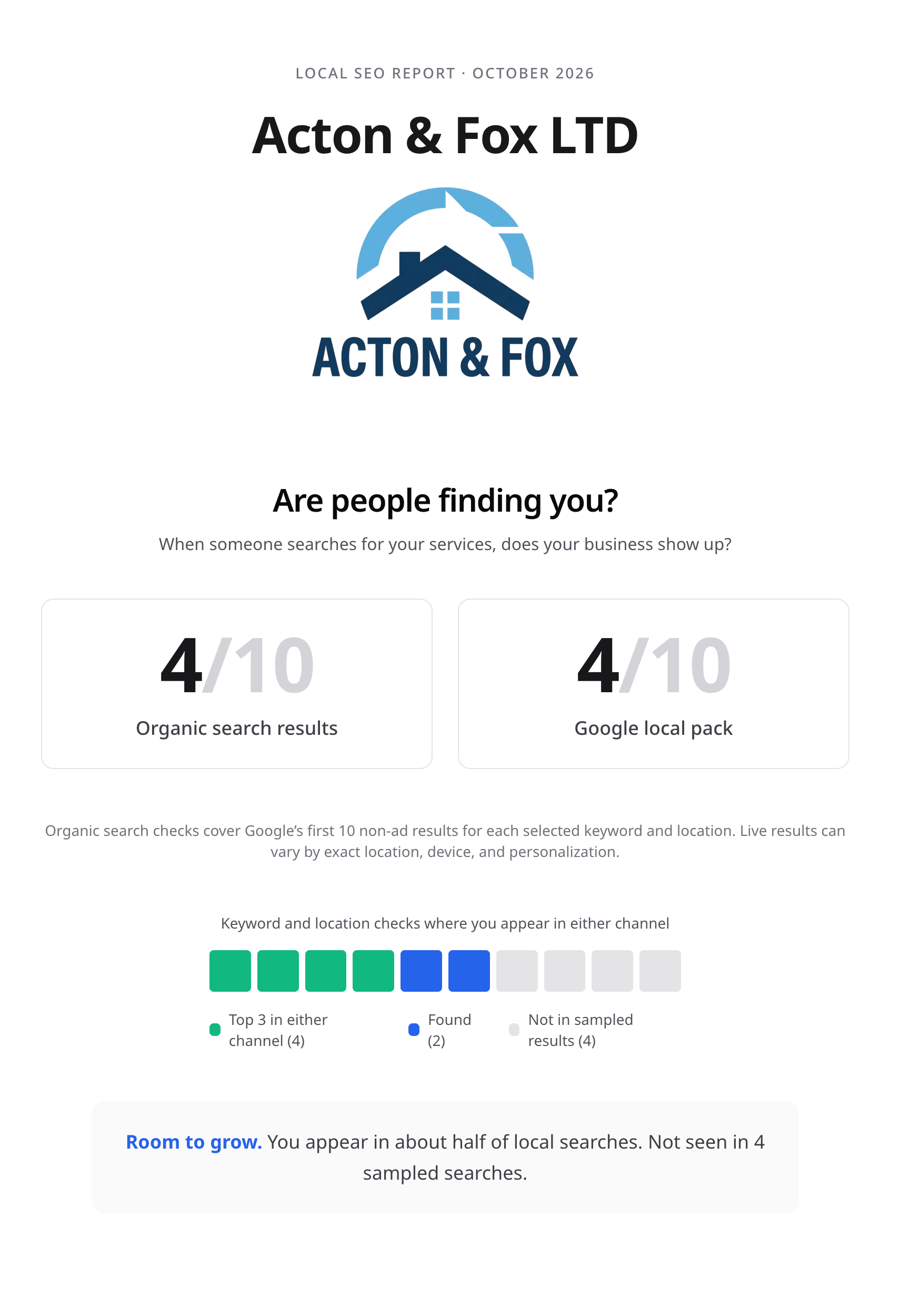
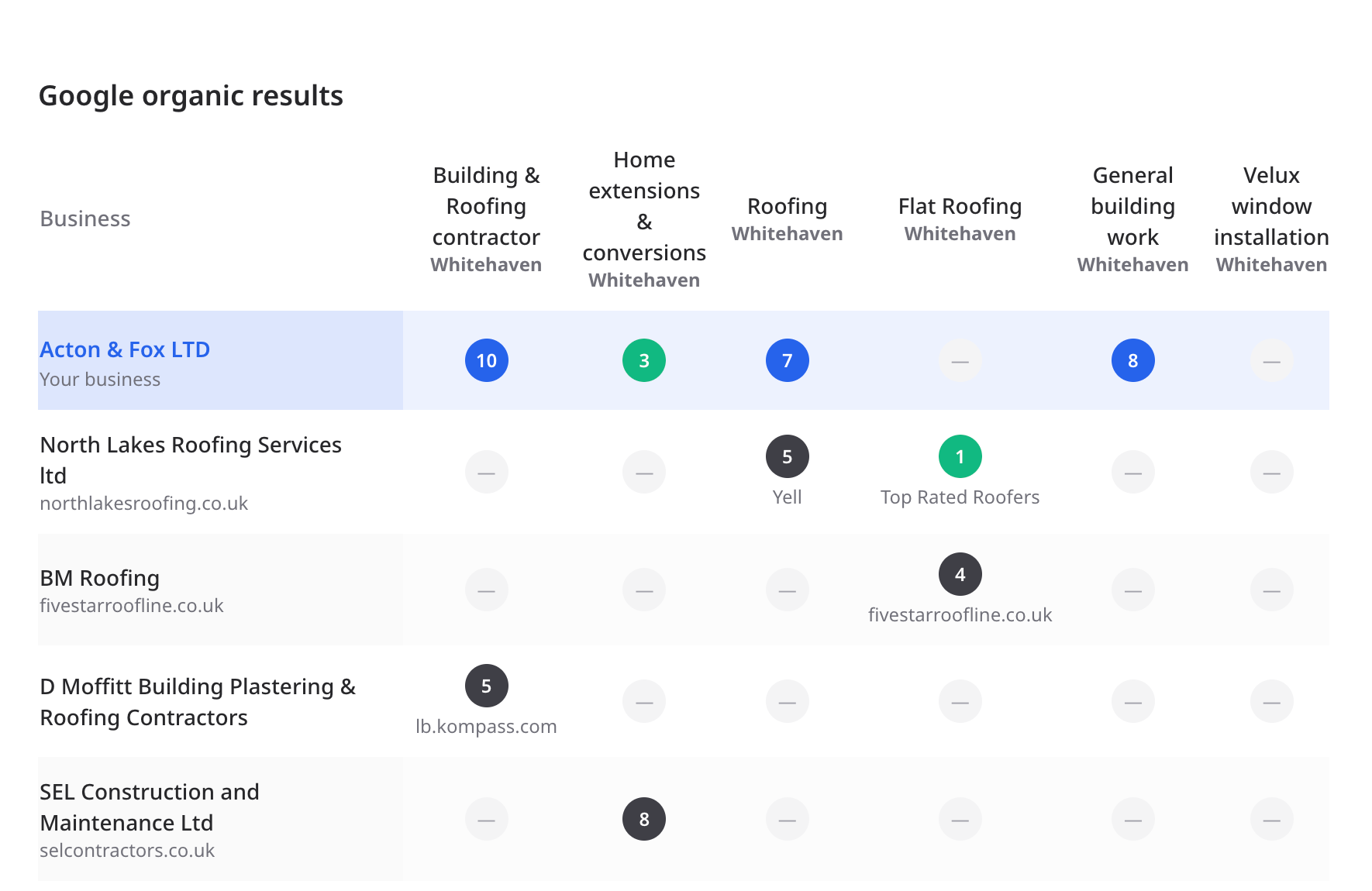
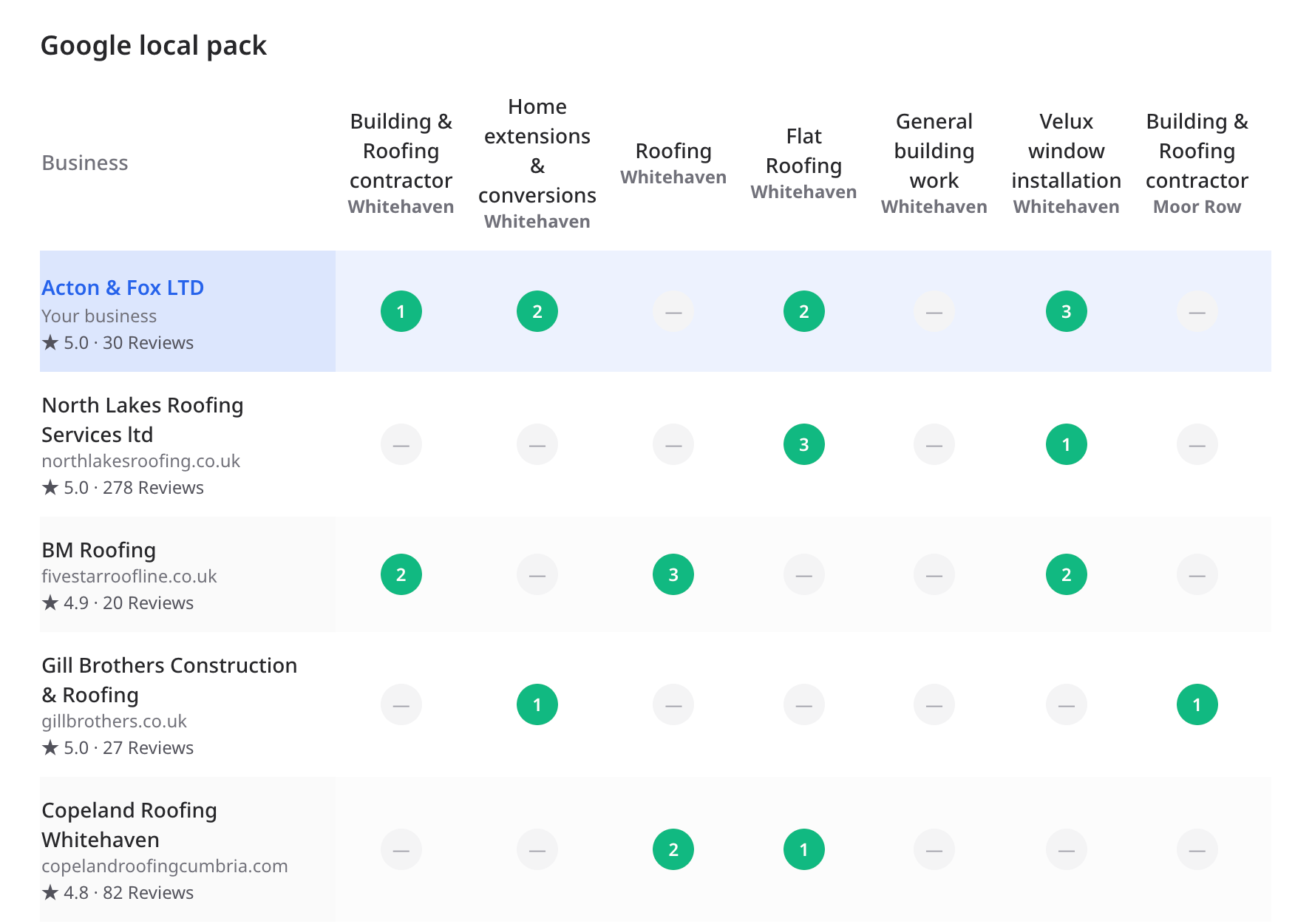
Where your business appears in Google Search and Maps
Google shows regular web results separately from results for nearby businesses in Google Maps. This report checks both because your business may appear differently in each. Choose up to 10 search phrases and locations; the report checks those searches and compares how high it appears compared with nearby competitors. These checks cover only the searches and locations you choose, and results can vary by place and time.
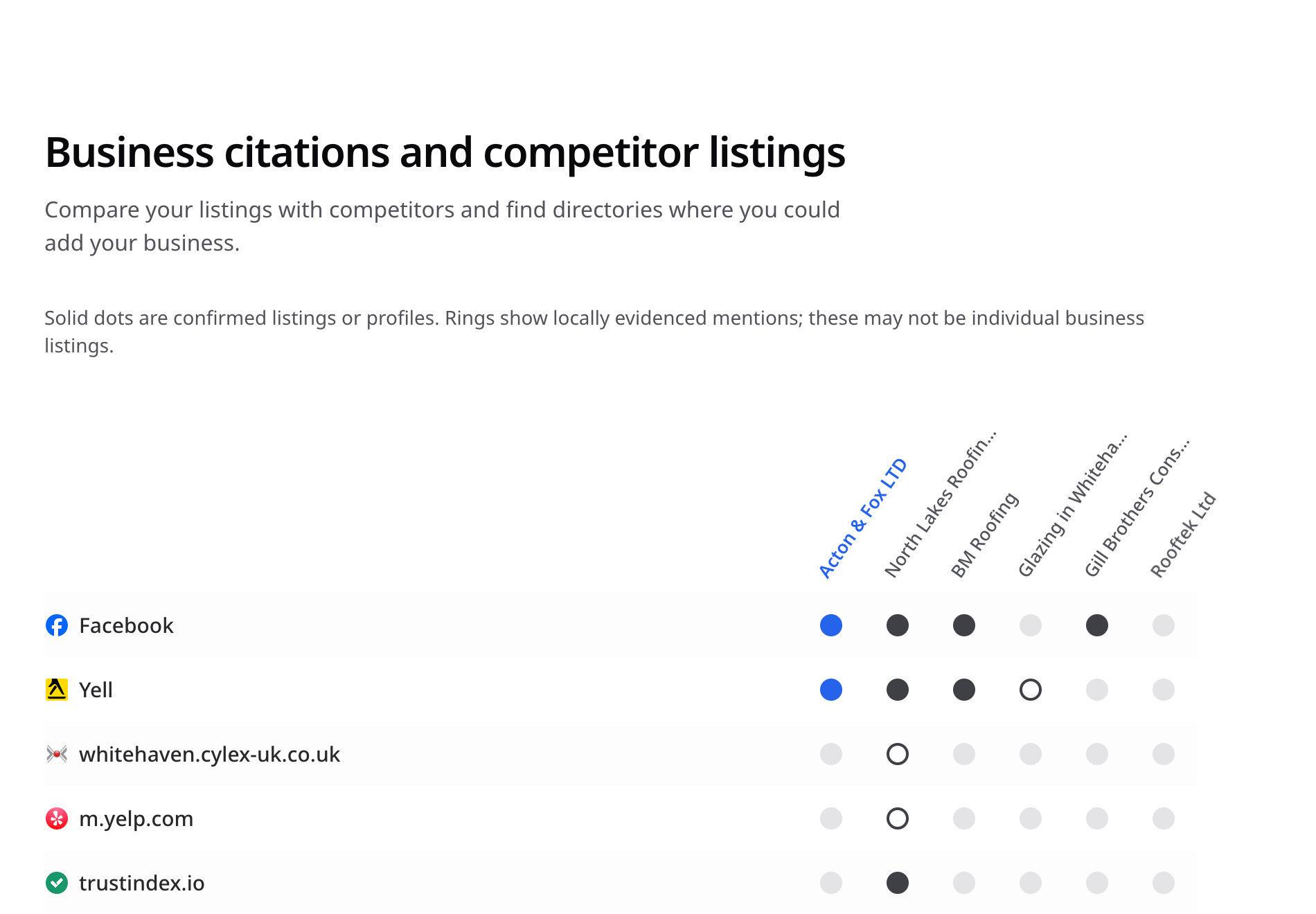
Where your business is listed online
On the websites we checked, the report shows whether your business has a listing and compares it with nearby businesses. A filled dot means we found your listing. An outlined ring means we found a mention but could not confirm a listing. Treat missing listings as places to check; we did not check every website.
What it does not measure
These sample checks do not show website visits or every link from other websites. You also cannot edit your Google listing from this report. Use Google Search Console to see how people find your site from Google Search, and your website statistics tool to see visits and actions. Read Google’s guide to the Search Console Performance report for details about the searches, clicks, and appearances it tracks.
The report uses records available from the sources it checked; it does not check every website that lists businesses. A section may say some results are still being gathered.
Configuring your report
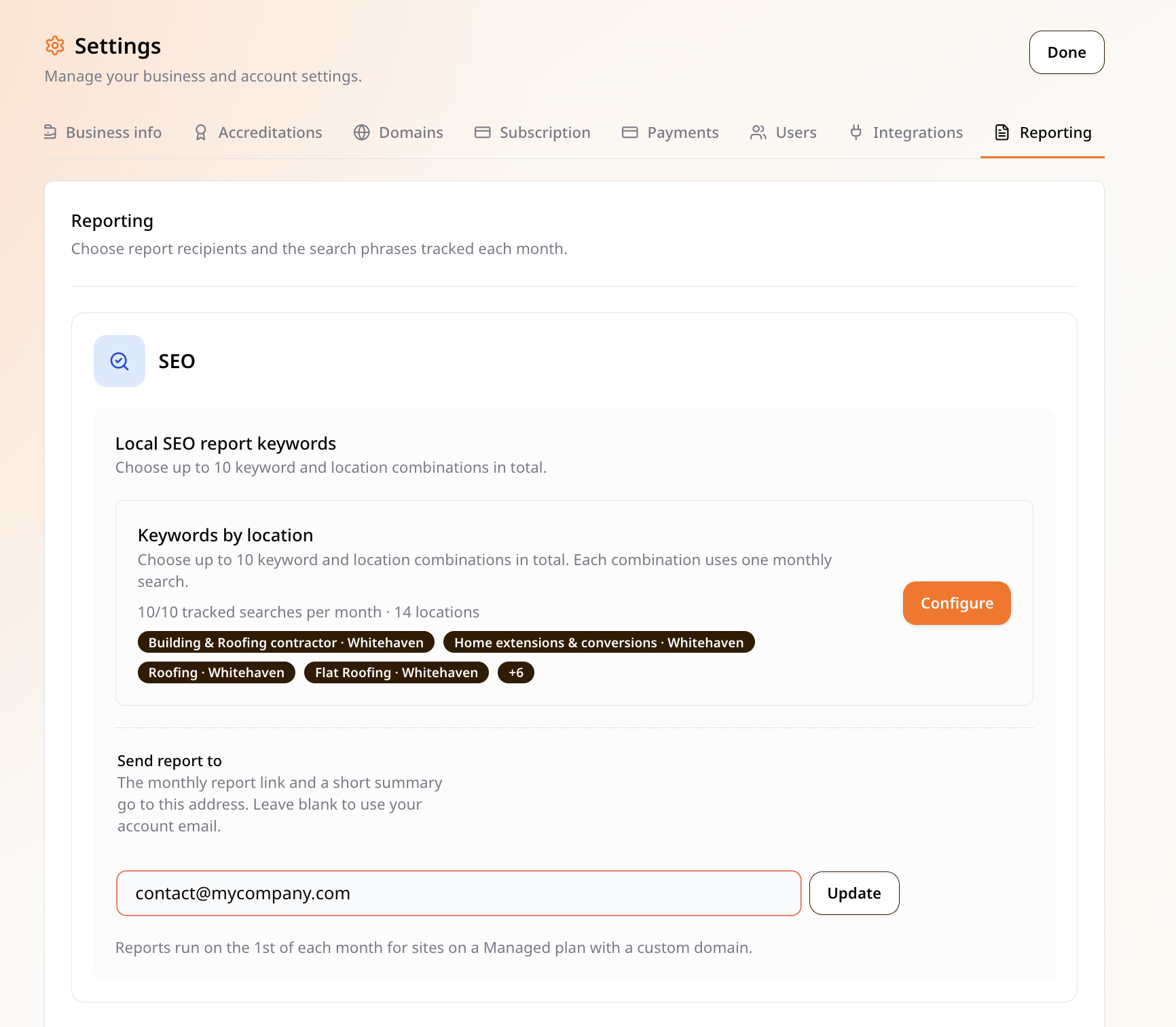
- Log in to your site at your-site.com/login.
- Click the user icon in the top right, then Settings → Reporting.
- Click Configure in Local SEO report keywords and choose the search phrases you want to check. Add any that are missing. Check the location too, or choose “No location” if you do not want results tied to a specific place.
- Update Send report to if the report should go to a different email address than the site owner’s.