Overview
- Flax plans are managed per site. Each paid site can have its own plan, billing cycle, renewal date, and cancellation status.
- Dodo Payments is the merchant of record. Checkout, local currency pricing, tax calculation, receipts, refunds, and wallet balances are handled through Dodo. Dodo ensures Flax stays tax compliant when selling internationally, collecting and paying VAT to local authorities. Dodo also handles Flax support for payment issues.
- Monthly plans have a 7 day cash-refund window and annual plans have a 14 day cash-refund window. Downgrades can still use Dodo wallet balance after that window.
Plan basics
Flax currently offers Classic at $12/month, Connect at $17/month, and Managed at $30/month. All plans can be billed monthly or annually, with 20% off when billed annually.
Classic is a website you manage yourself in the editor. Connect lets you connect your own agent, such as Hermes, Codex, or Claude. Managed includes an agent provisioned by Flax to help maintain and grow your site.
Prices shown during checkout come from Dodo. Depending on the buyer location, Dodo may show localized currency, tax handling, and purchasing power parity pricing. Subscription wallet balances may still be shown in the wallet or settlement currency.
Managing a plan
Open a site’s settings to view its current plan and renewal date, then change or cancel its subscription. Account-level subscription summaries are also available from the user account area.
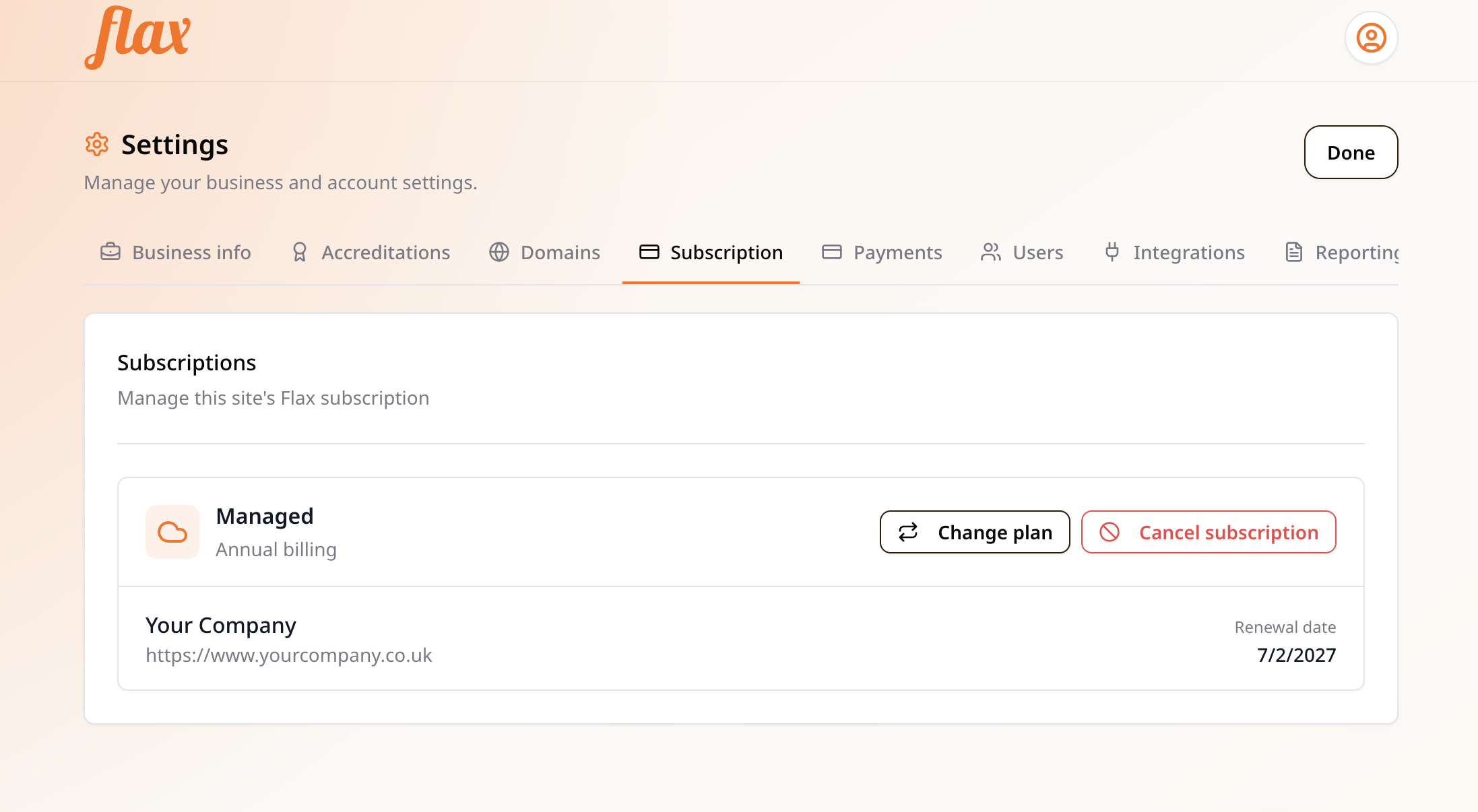
- Log in to your site at your-site.com/login.
- Click the user icon in the top right, then Settings → Subscription.
- Click Change plan to switch plan tier or billing cycle.
- If a scheduled plan change exists, cancel it before requesting a different one.
- Click Cancel subscription to cancel at the end of the billing period.
- If the subscription is still inside the cash-refund window, the refund and cancel option is shown when available.