Available on plansManaged
Introduction
Go directly to the agent on your selected site by adding /agent to its URL. For example, the full URL is Loading the selected site URL….
Your Flax Agent can review your monthly search report, inspect the supporting evidence, and prepare site content updates for your review. It can also update images, add sections, and keep research in the Documents library. Site changes are prepared as drafts before they go live.
We recommend starting a new chat for every separate change to avoid context pollution from unrelated requests.
For ongoing work, the agent can keep research and reports in its private Documents library. Later chats can use those saved results as context, so you can continue from earlier work instead of starting over.
Watch a visual site edit
Switch to visual mode by clicking Preview in the top right when you want to see live local previews. Click on a section to select it before writing your message. This will help the agent understand the request more clearly. Remember to publish your changes for them to take effect.
Data access
The agent can use information connected to your site to make its answers and recommendations more relevant. Depending on what is available for your site, this can include:
- Flax site statistics, such as visits, popular pages, traffic sources, and engagement.
- Google Search Console search performance data when the account is connected.
- Microsoft Clarity summaries when connected, such as signals for dead clicks, repeated clicks, quick returns, excessive scrolling, and page errors. The agent receives summarized signals; use Clarity itself to view session recordings and heatmaps.
- Monthly search and competitor reports, plus saved documents selected by their tags.
When earlier reports or analytics are available, the agent can compare them with newer results to spot changes over time. These comparisons can show what changed, but do not always explain why it changed. Read more about the monthly search report.
Agent jobs
Agent jobs are background research tasks that run monthly on a day you choose. You can use up to five agent job runs per month across your jobs. Pause or edit a job whenever your priorities change.
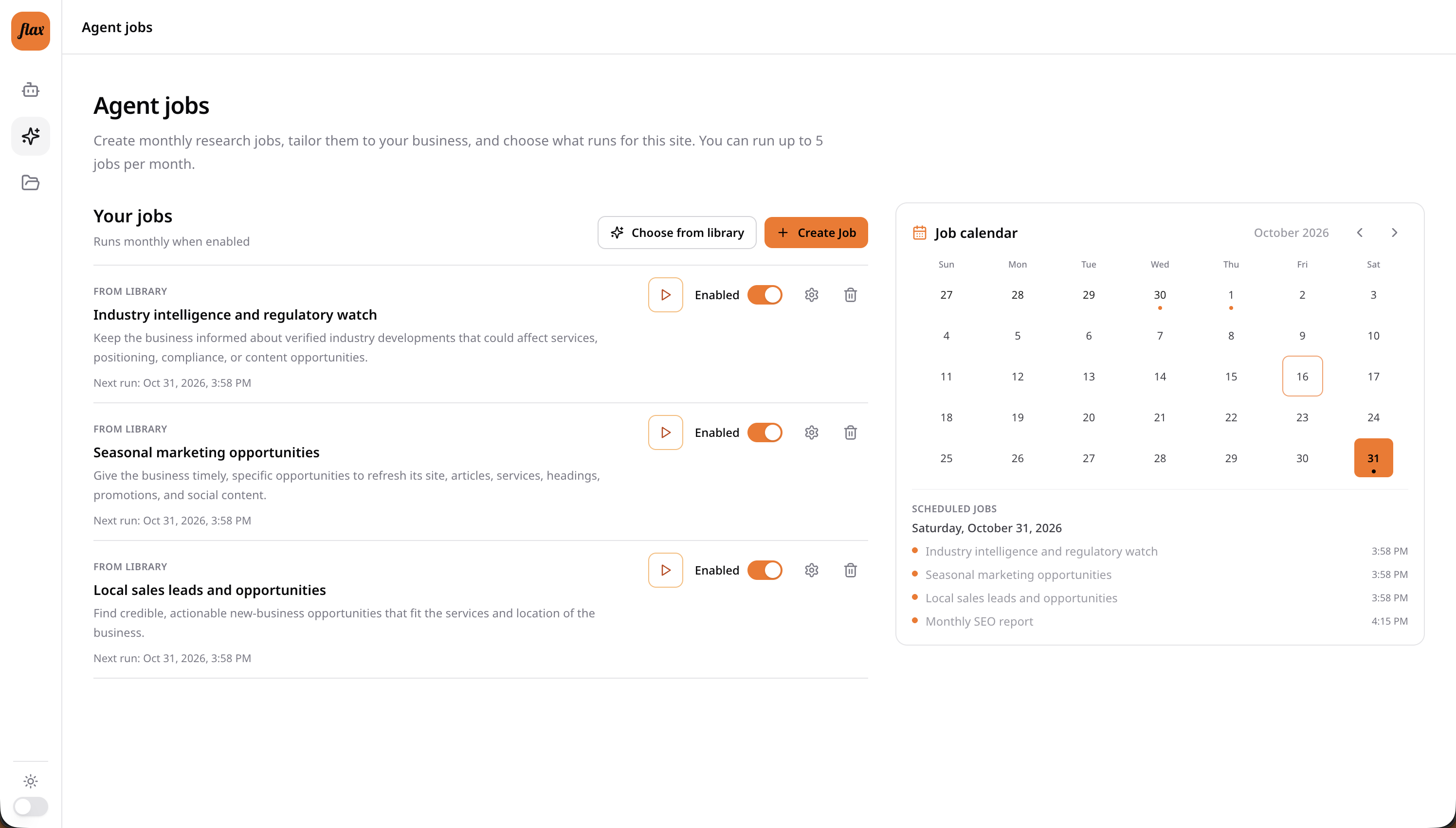
Start with a built-in job or create one of your own:
- Local sales leads and opportunities: find relevant public tenders, developments, grants, partnerships, and other potential leads.
- Industry intelligence and regulation: follow relevant developments, tools, news, and regulatory changes.
- Seasonal marketing opportunities: find timely ideas for site updates, articles, offers, and social content.
- Custom jobs: describe the research you want, its purpose, and what a useful report should include.
Choose a run day for each job. If a month does not have that date, the job runs on the month's last day. Scheduling research near the end of the month gives it time to finish before Flax sends the monthly site update on the first day of the next month. That email can include highlights from completed jobs.
Document storage
Your agent can read and save documents in the private Documents library for your site. Reports from scheduled jobs and some larger research tasks are saved there automatically. Ask the agent to save other useful work when you want to refer to it again.
Watch an agent review and save a document
See how to review your site with the agent and save its response to Documents for later.
Save a chat response
To keep an individual answer, click Save beneath the response. You can give the document a title and summary before saving it to Documents.
Ask about an open document
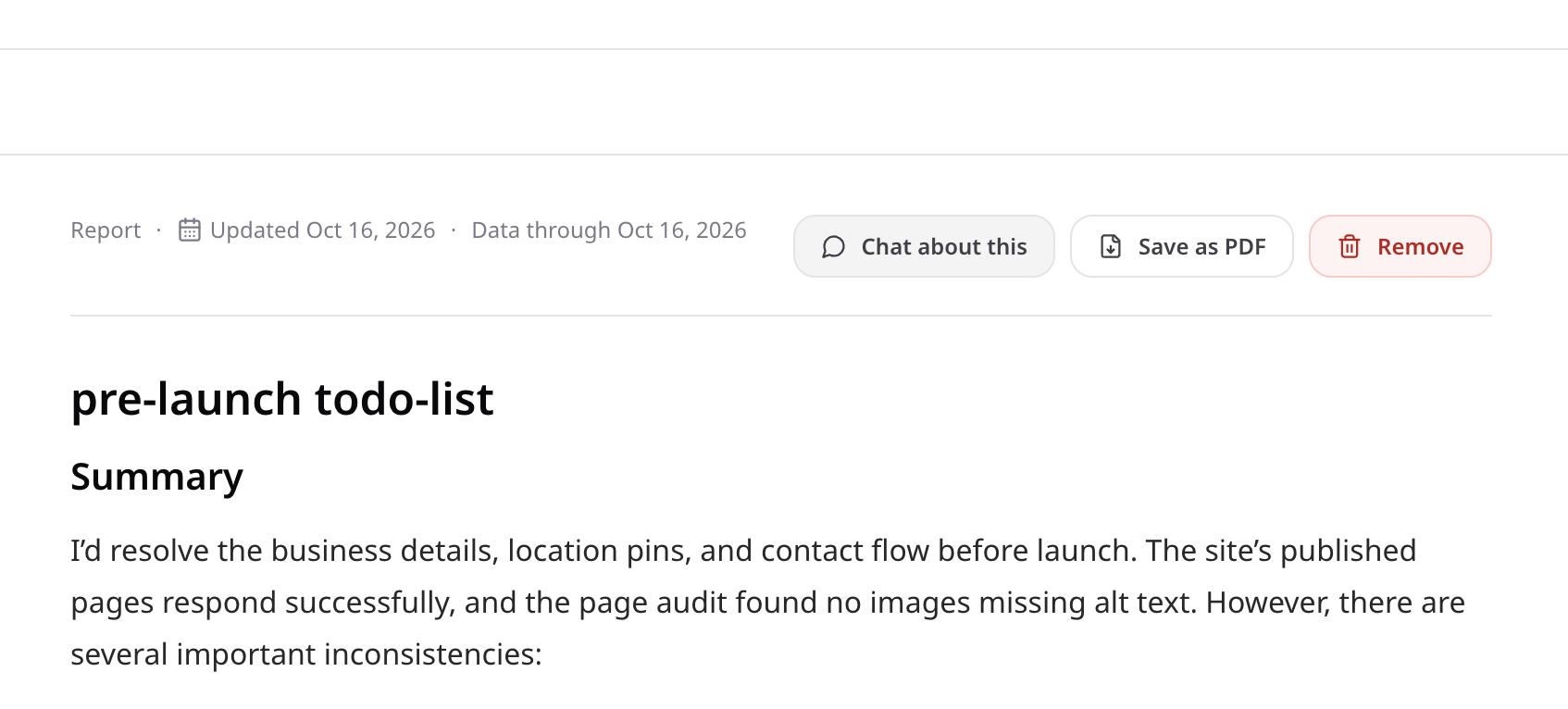
Open a document in the library and choose Chat about this to continue in the agent chat with that document as context. You can ask for clarification, explore a finding, or discuss one of its recommended next steps.
Keep documents current
Research can become outdated. The library marks documents that may be stale, and the agent is prompted to verify time-sensitive details before relying on them. Review your saved documents periodically and remove material that is incorrect or no longer useful, so it does not create confusion in a later chat.