Another web hosting platform?

Flax brings practical tools together to help your business thrive online. Here are a few ways we do things differently.

Create a branded website instantly

Start with a website created around your business. No vibe coding or risky stuff. Performance and security are managed by the platform. Annual plan customers can request professional design input from Flax support at no extra cost.

Start for free
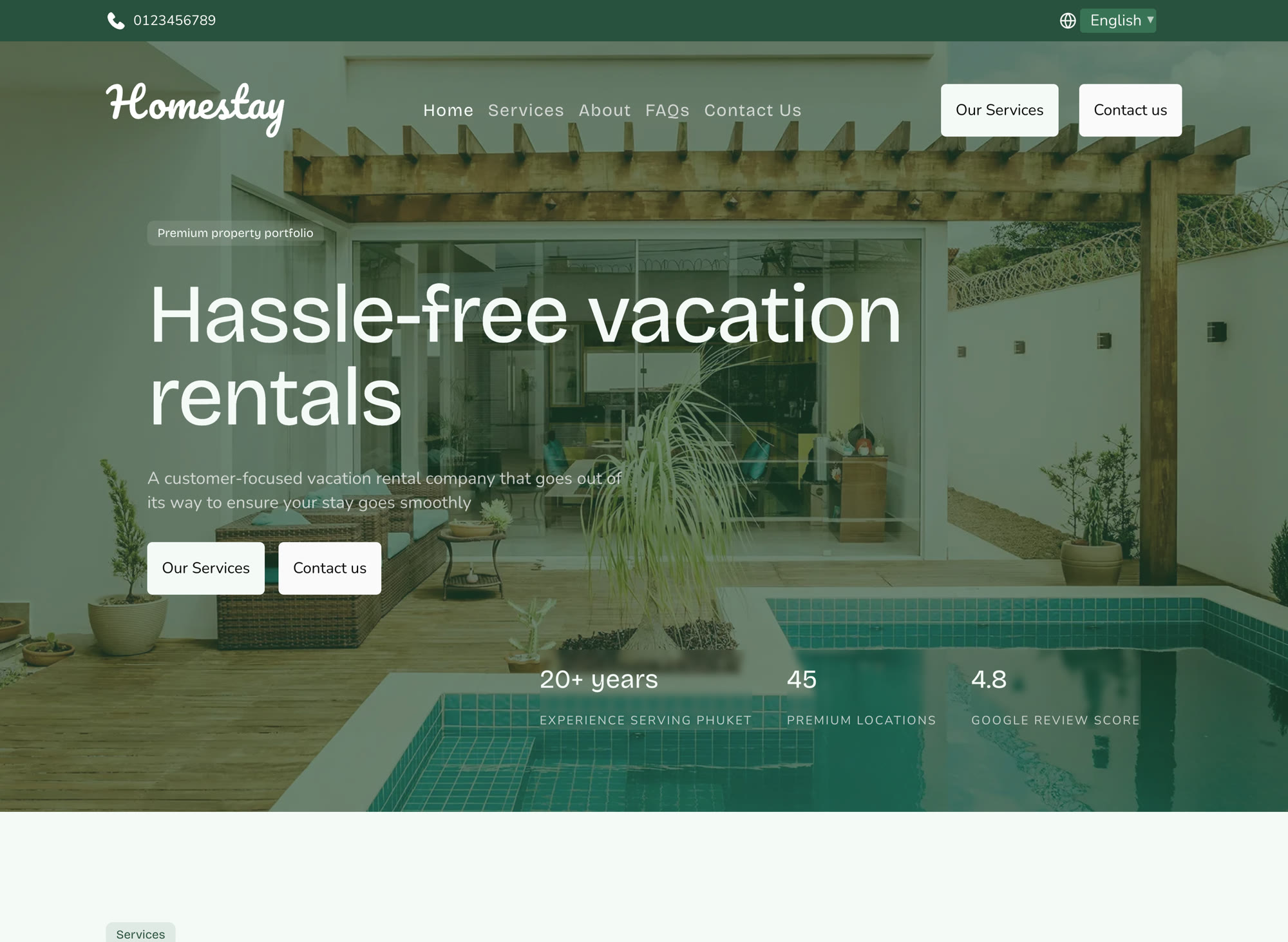
Homestay
Homestay vacation rental website with a property hero image

Get found in search

Problem

Your site is live, but not many people are finding it.

Solution

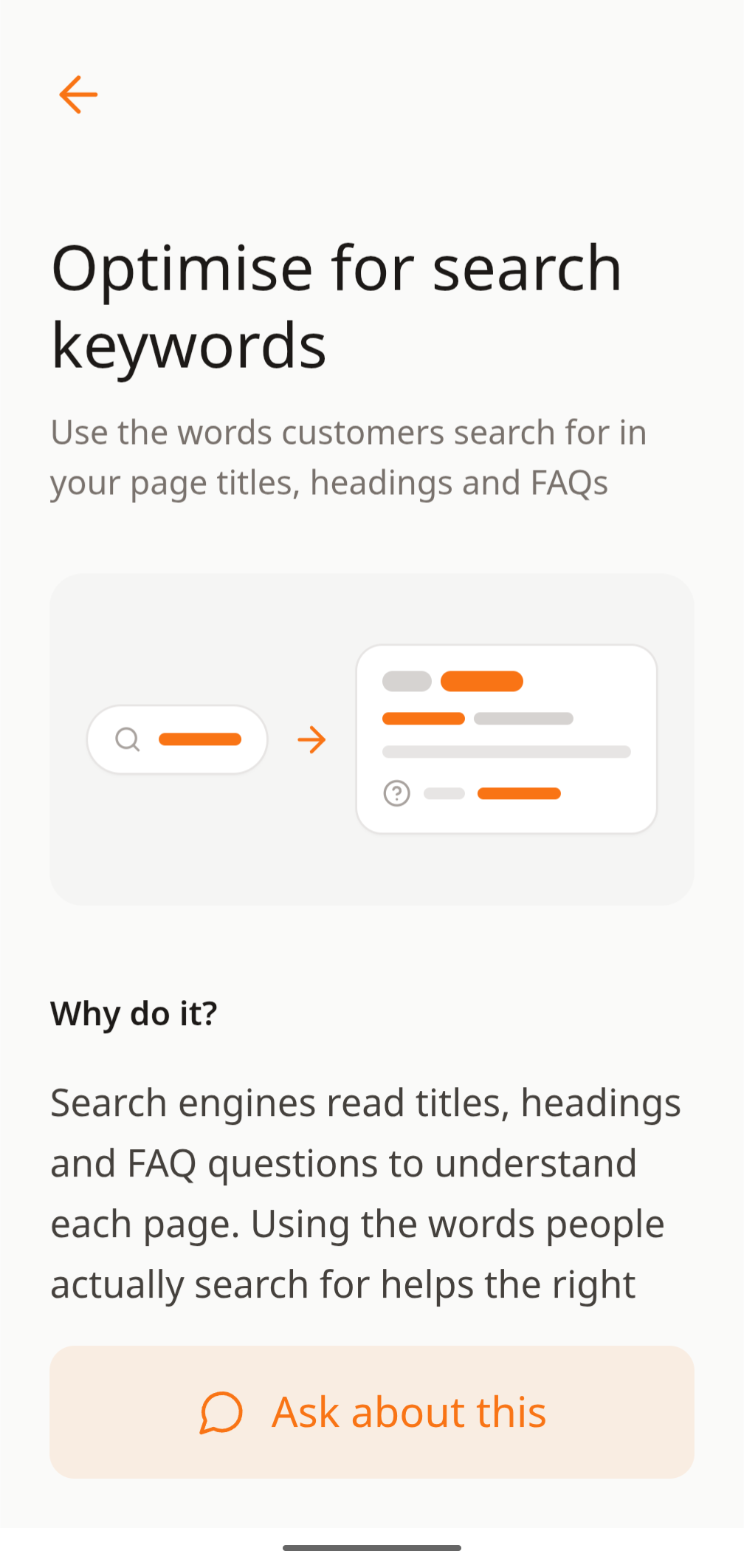
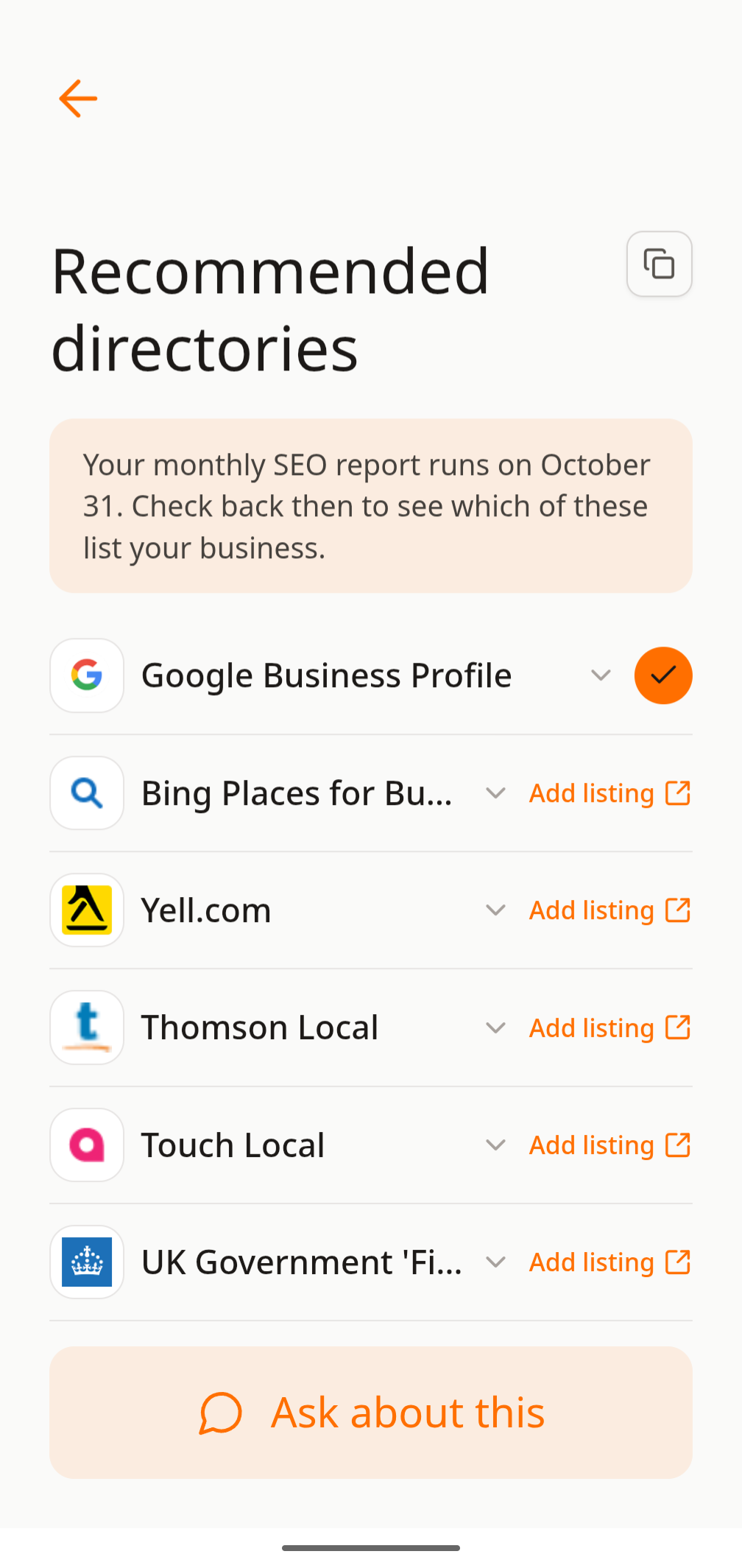
Every Flax site has a strong SEO foundation by default. On Connect and Managed, monthly SEO reports compare your performance with competitors. A separate checklist shows what to work on next, whether you tackle it yourself or with an AI Agent.

Flax search keyword guidance screen with an SEO page preview
Flax Recommended directories screen with business listing suggestions

Test what brings in leads

Problem

You’re not sure whether or not to show prices on your site.

Solution

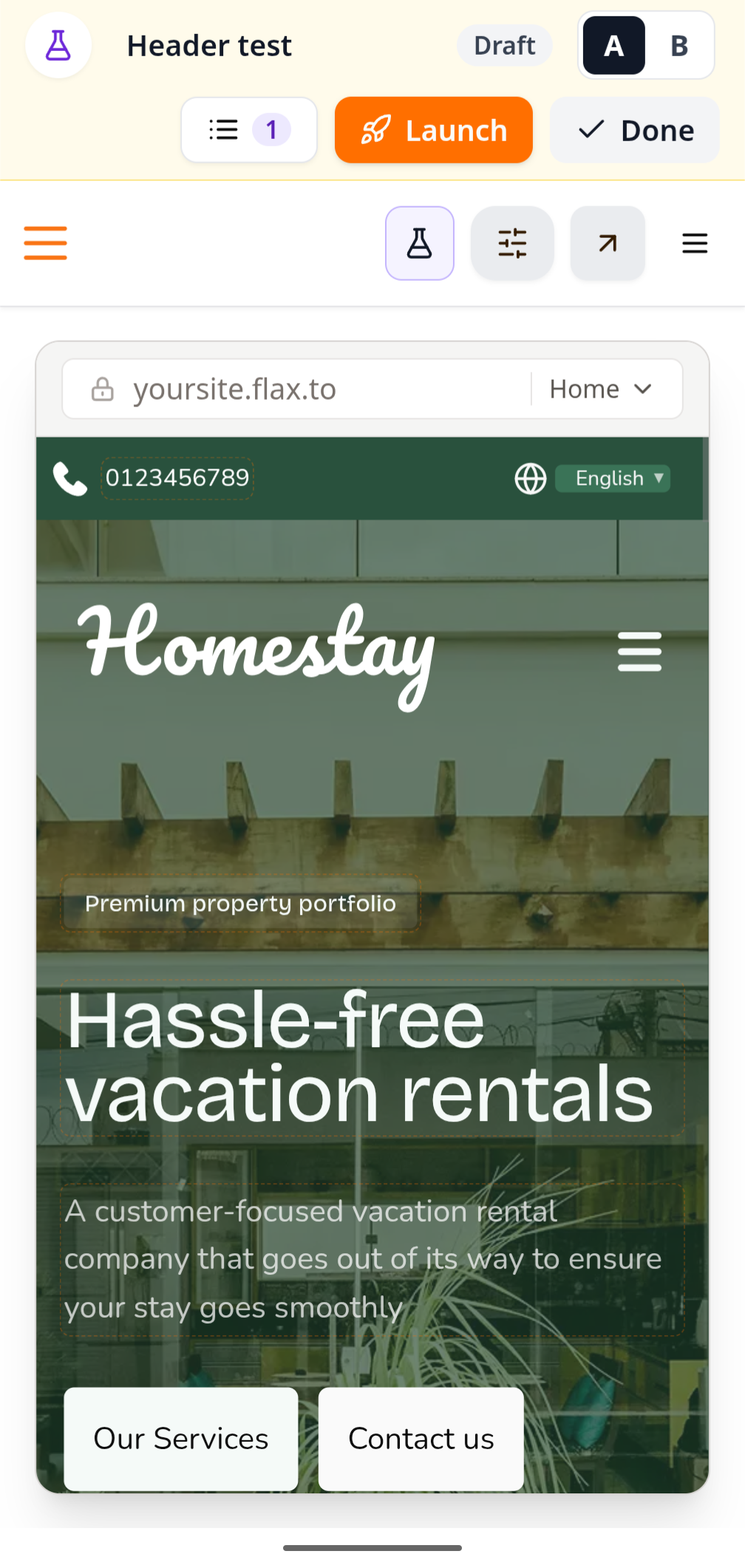
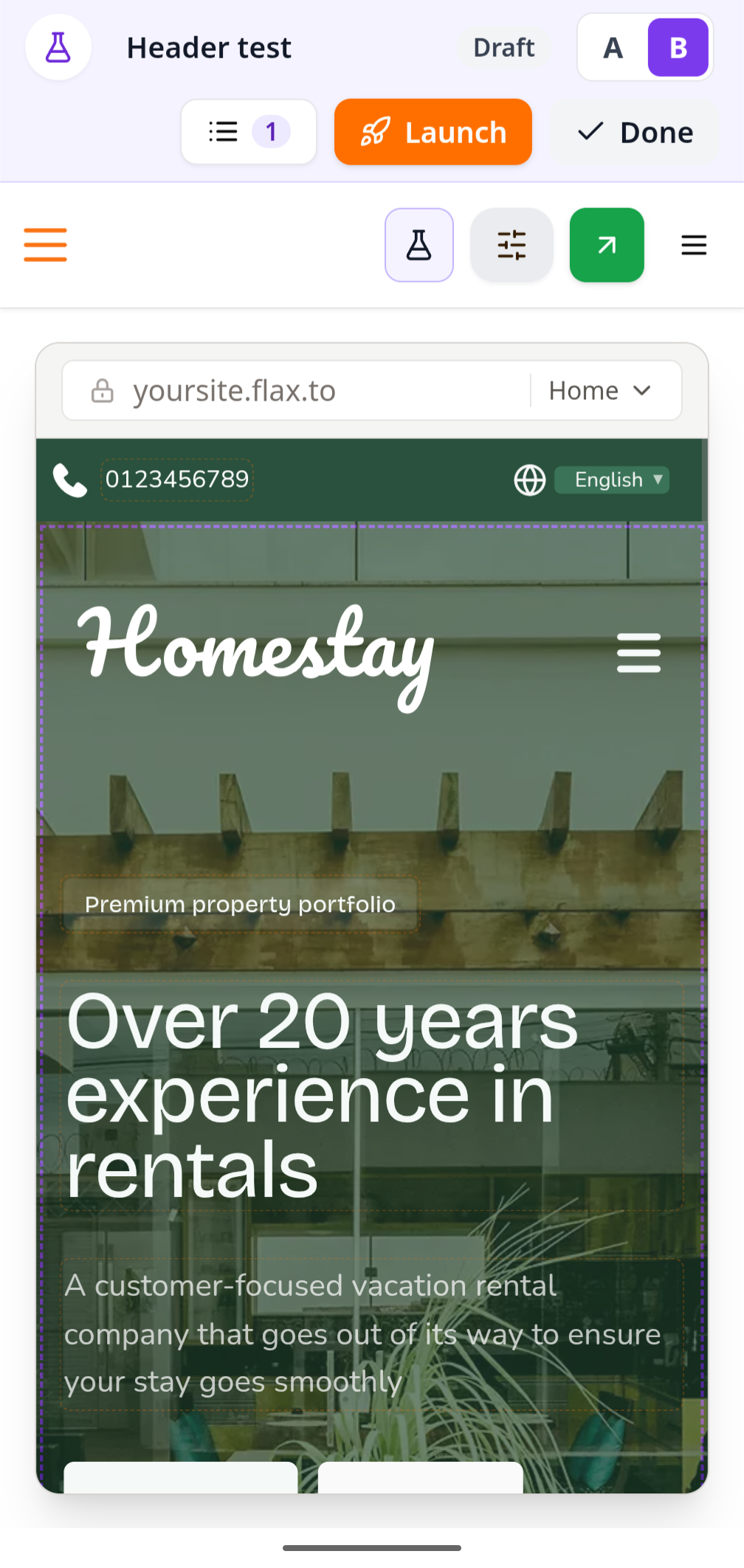
Set up an A/B test in seconds from your phone. Show one version of a page with prices and another without; Flax splits visitors between them and reports which brings in more enquiries.

Header experiment A showing the Homestay site in Flax Editor
Header experiment B showing an alternate Homestay site headline in Flax Editor

A compiler that optimizes your site

Problem

Building a site one page at a time takes a lot of work. Optimising each page for search adds even more.

Solution

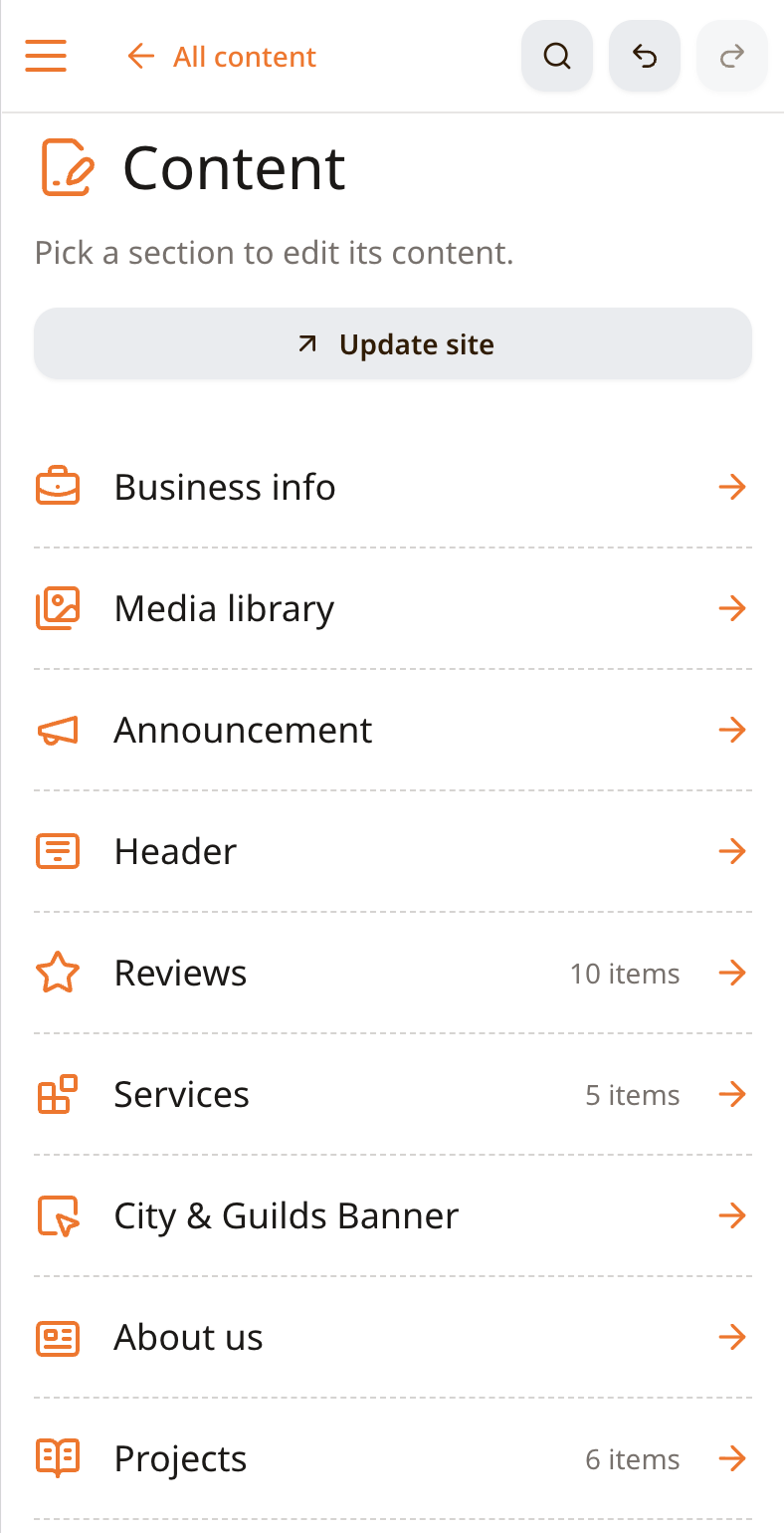
Flax works differently from most site editors. Build your homepage once, then Flax uses your CMS content to generate the rest of your site in the same style and colours. Add content to the CMS and Flax builds the pages for you.

Flax Content screen showing editable business information and site sections
Compiled Acton and Fox building contractor website shown in the site preview

Create branded social graphics from your content

Problem

You want to promote your reviews and projects on social media, but don’t have time to learn another tool.

Solution

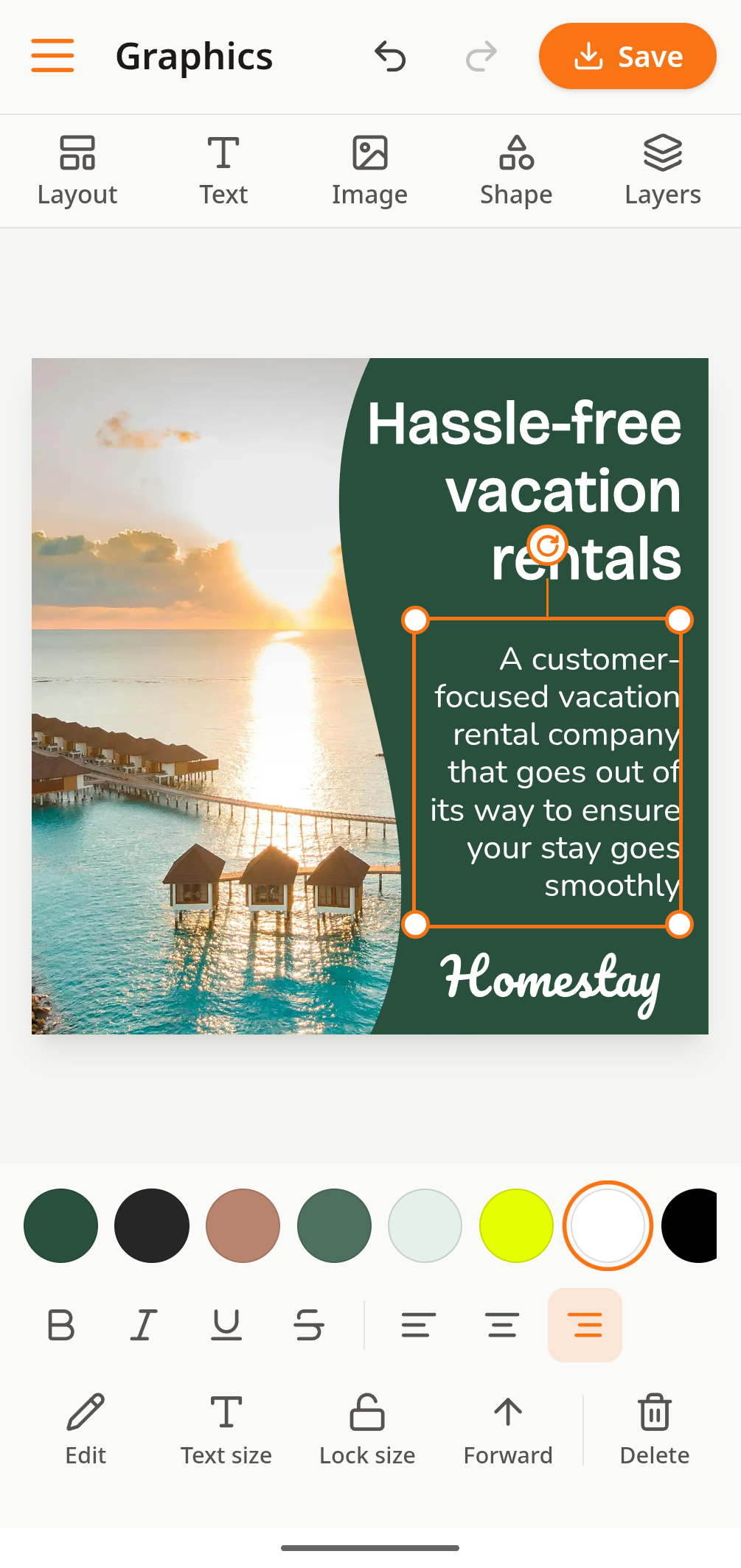
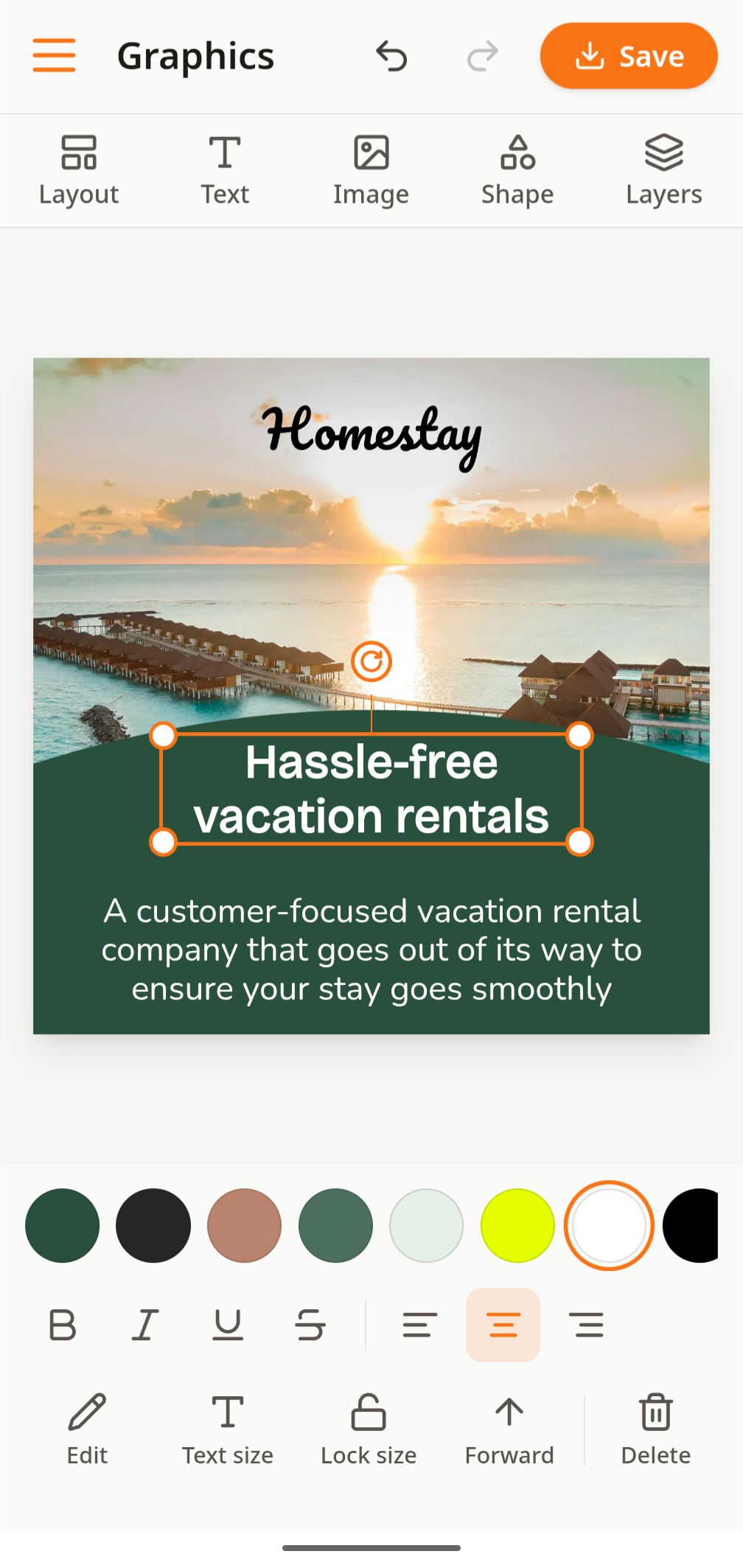
Flax gives you a simple graphics editor with your fonts, colours and logo already set up. Drag in details like your email, website or phone number. It works just as well on mobile, so you can make graphics whenever it suits you—no need to wait for your laptop.

Flax Graphics editor on a mobile screen
Flax Graphics editor showing a branded vacation rental social graphic

Find leads and industry insights

Problem

You want to keep up with industry news and compliance, and spot local sales leads and marketing opportunities.

Solution

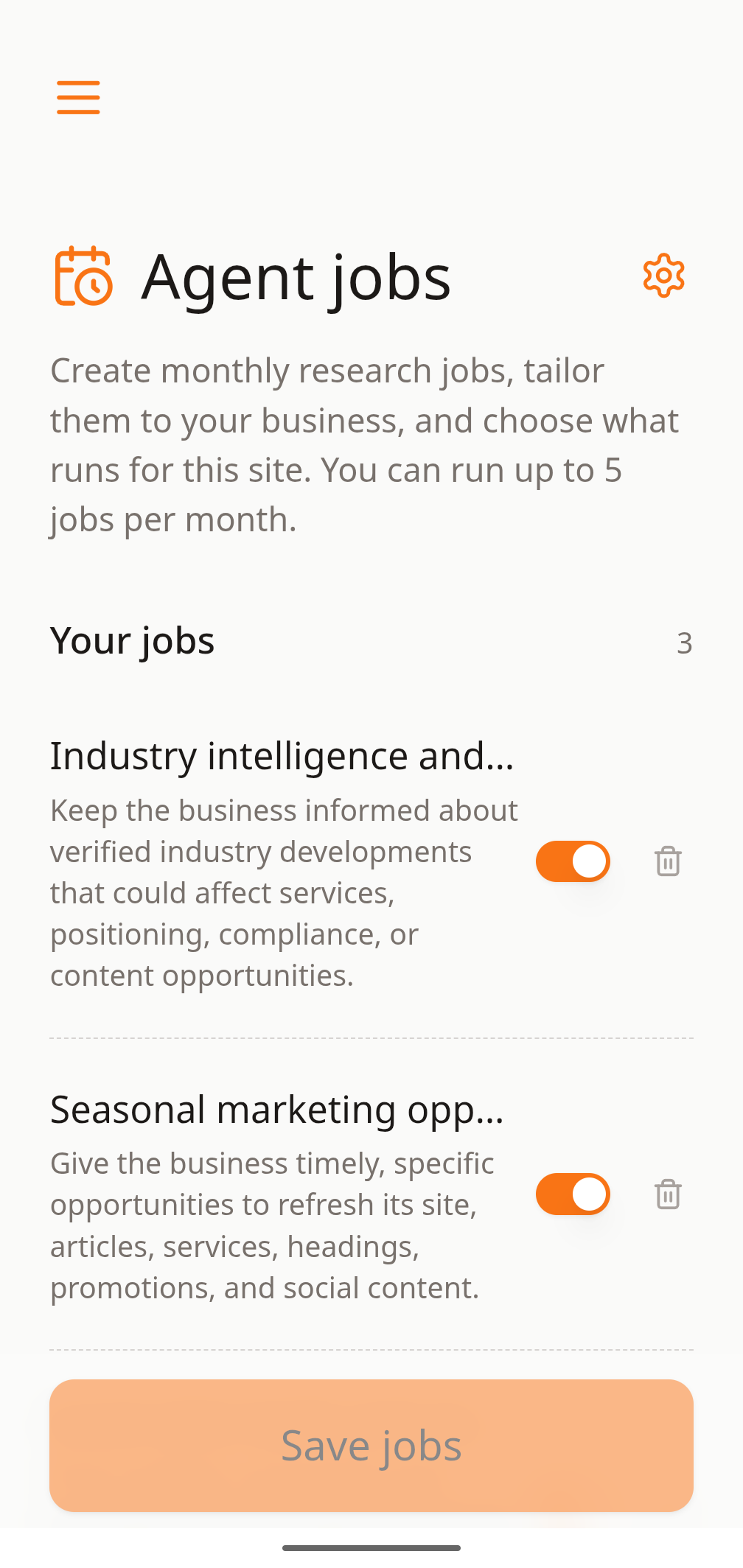
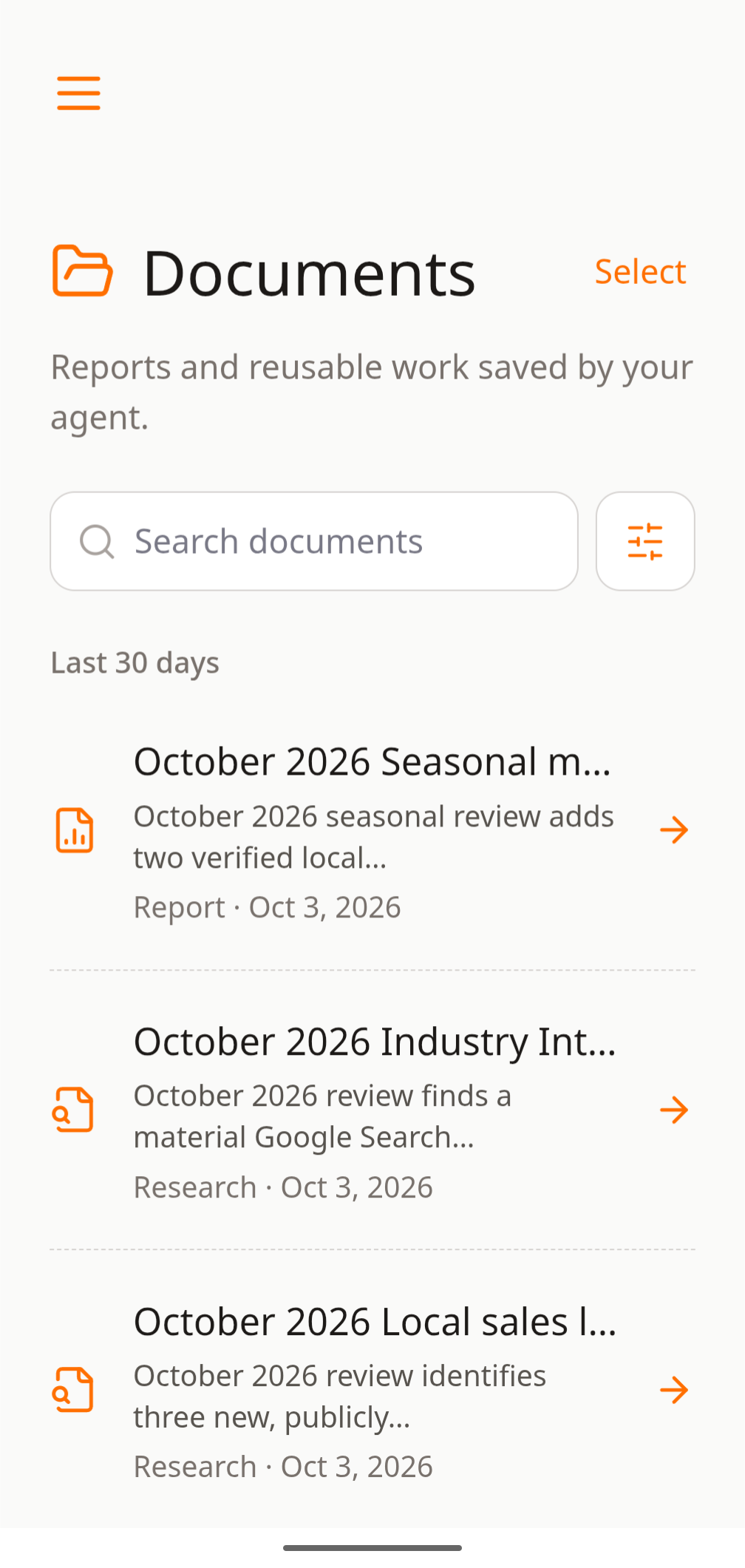
On Flax Managed, research agents run each month and turn their findings into actionable reports, from sales leads and marketing opportunities to industry intelligence. Then take the next step with Flax’s built-in tools—for example, turn a finding into a blog article or social graphic.

Flax Agent Jobs screen showing monthly research jobs
Flax Documents screen showing reports and reusable agent research

Work with the AI agent you choose

Problem

You don’t have time to manage your site and would rather hand routine work over to AI.

Solution

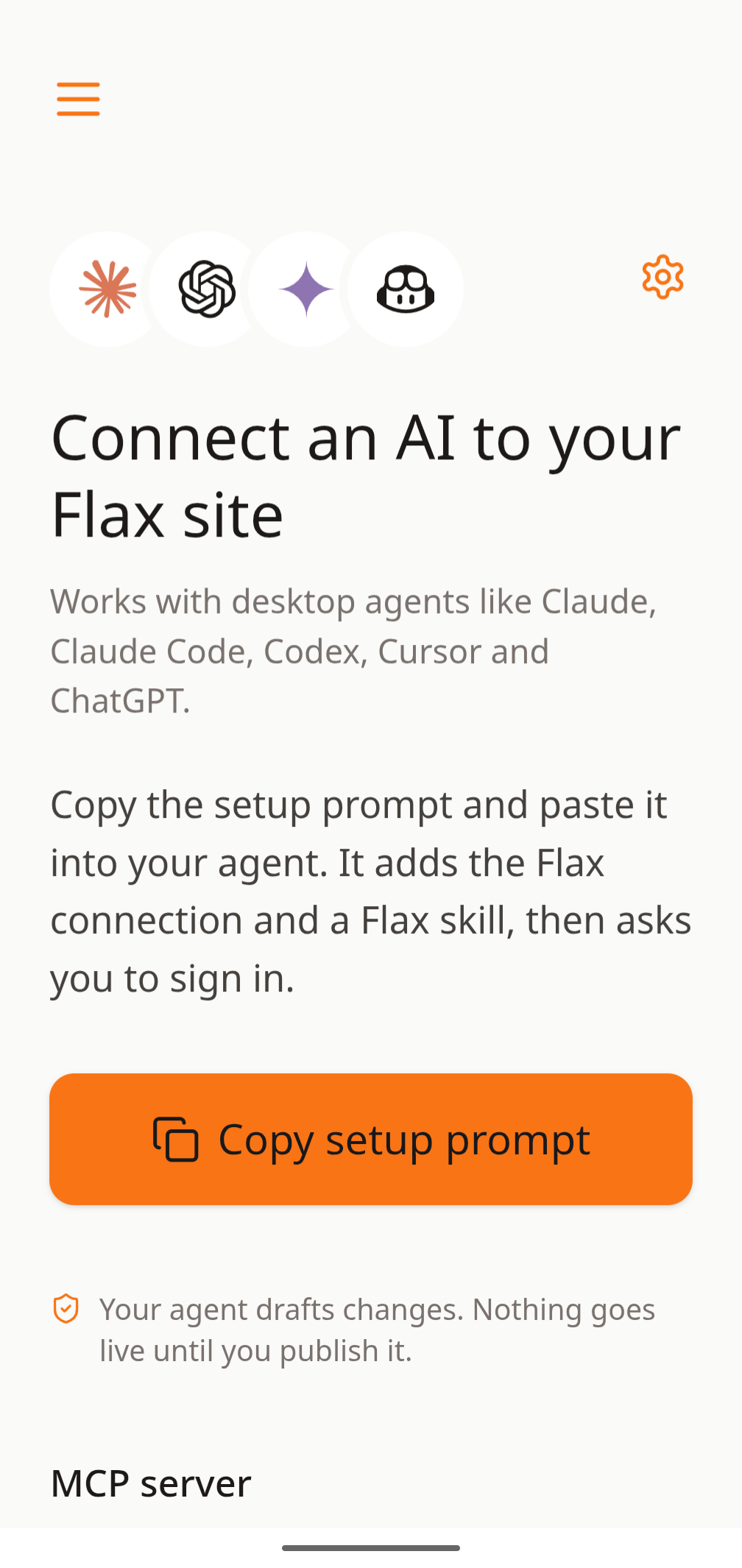
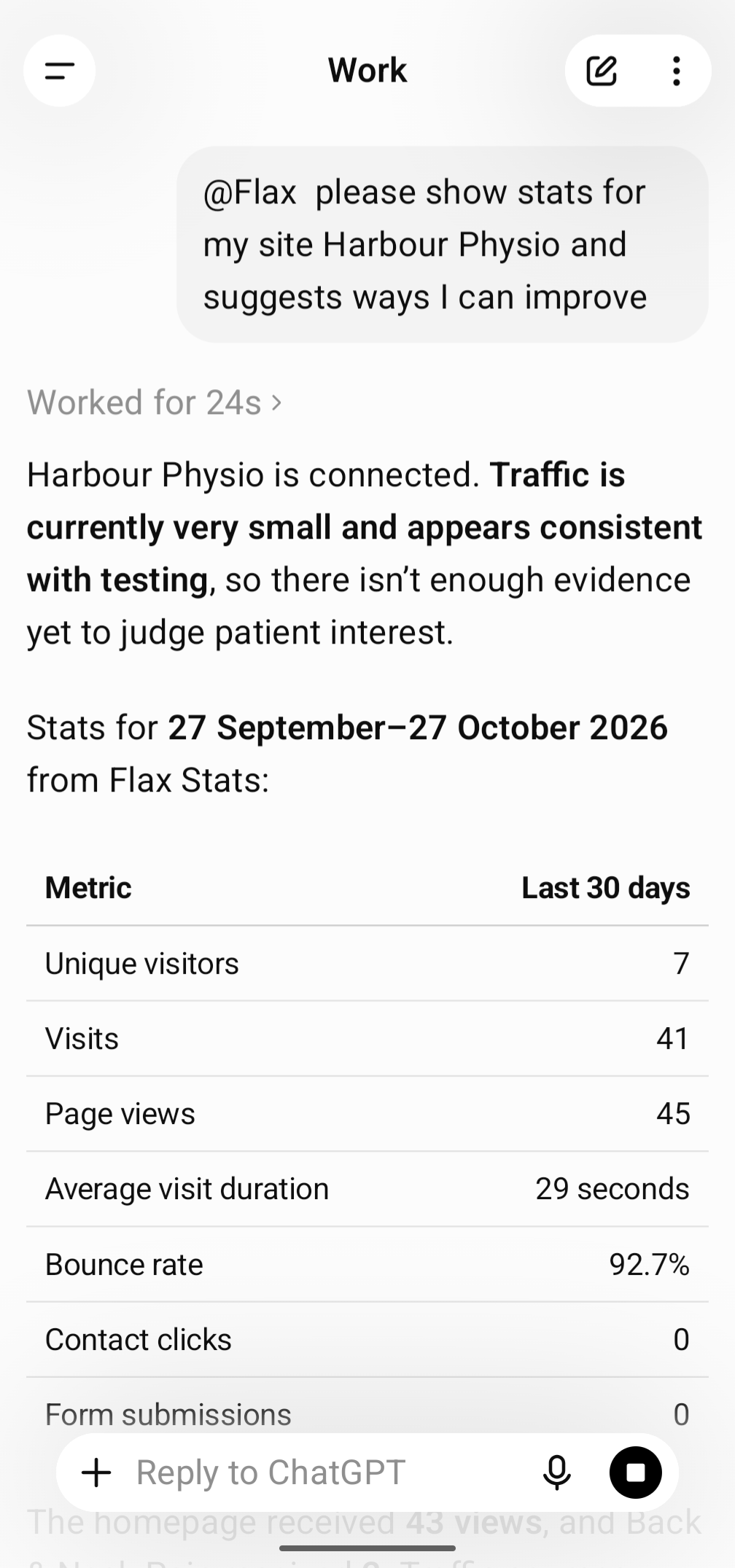
Flax gives AI agents an interface to handle many kinds of site updates. They can also use your SEO reports, visitor statistics and document library to understand your business, evaluate changes and build on what works over time.

Connect an AI to your Flax site screen showing agent setup options
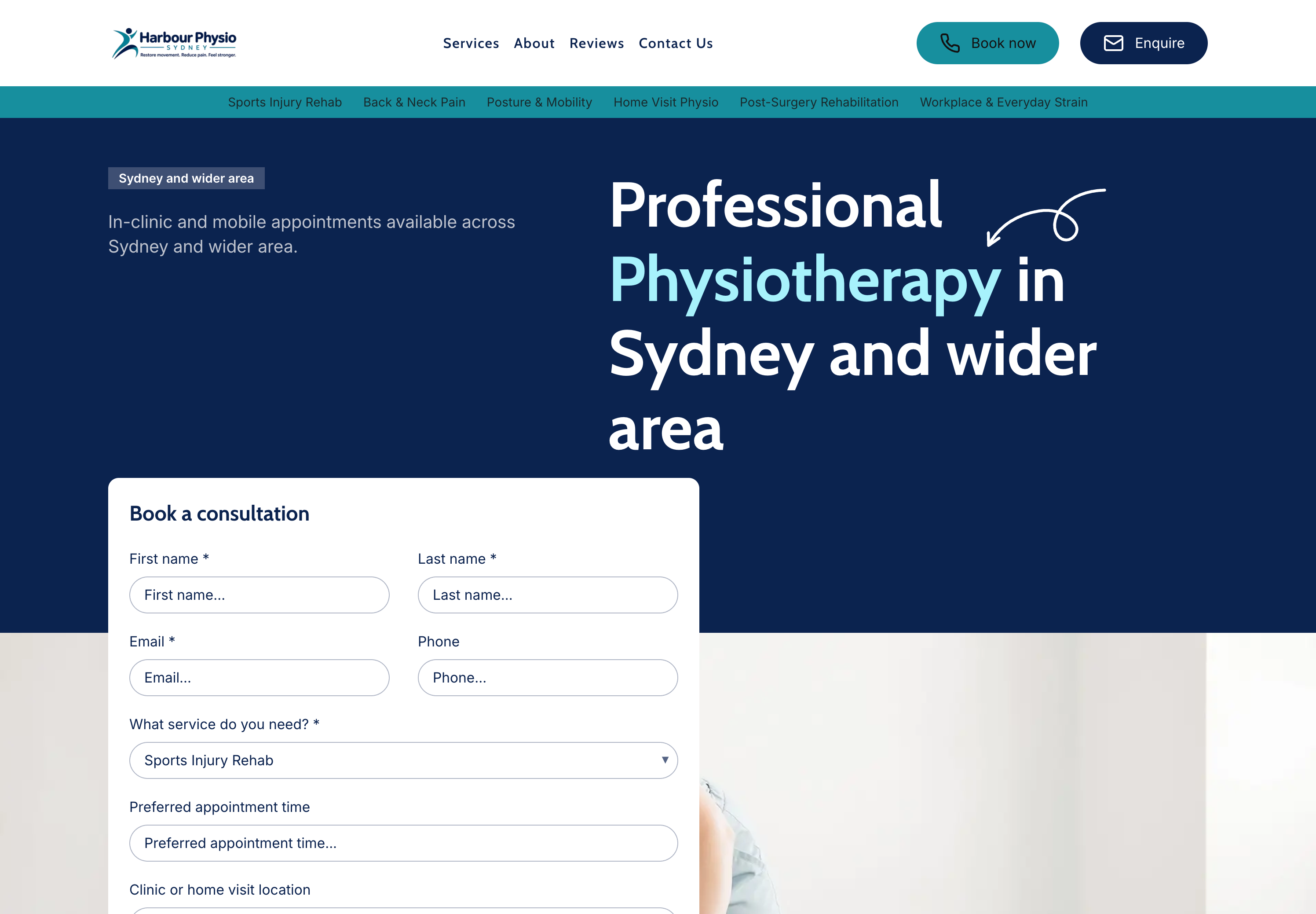
AI assistant responding with Harbour Physio site statistics and recommendations

Write when it suits you. Publish when ready.

Problem

You want to improve your website, but finding time to work on it isn’t always easy.

Solution

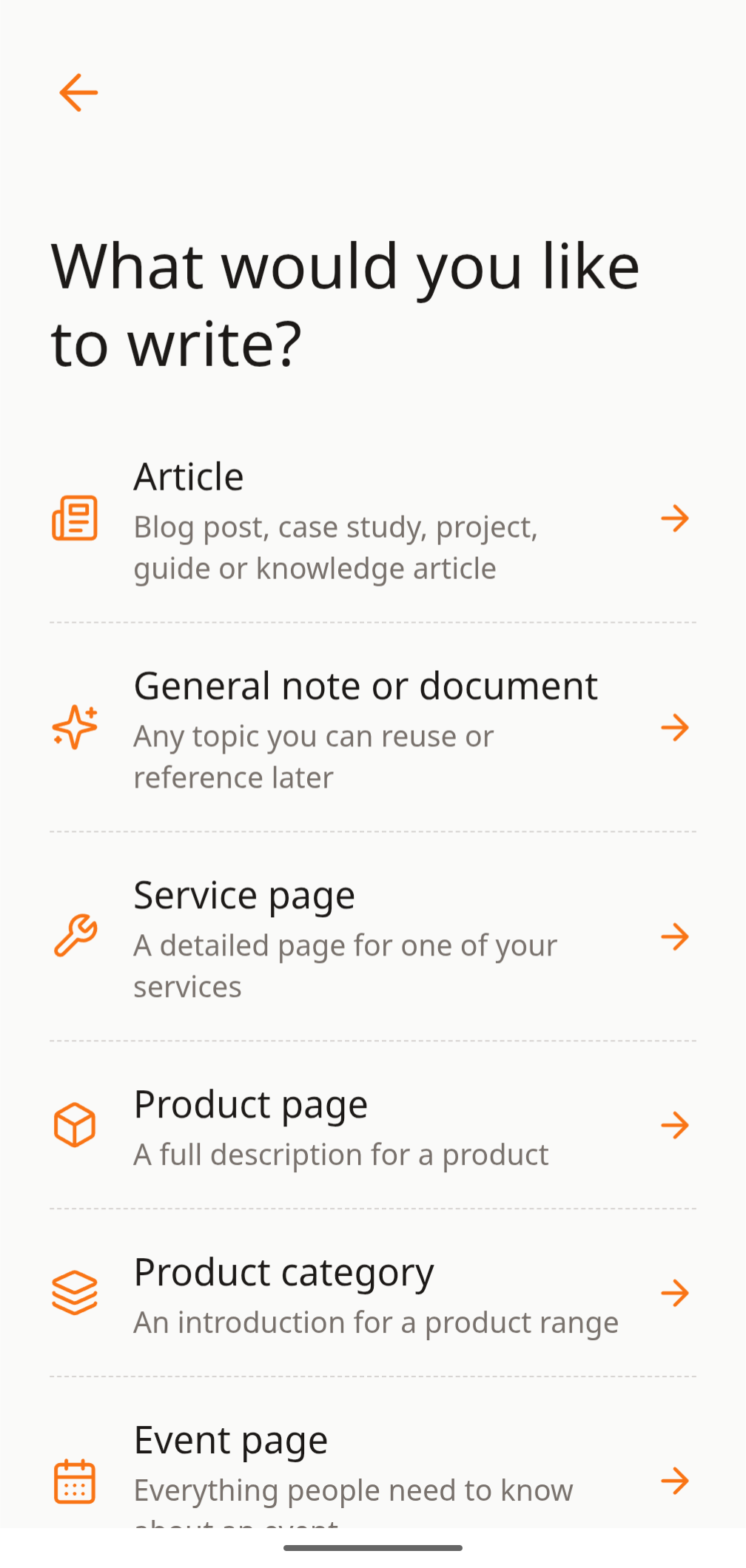
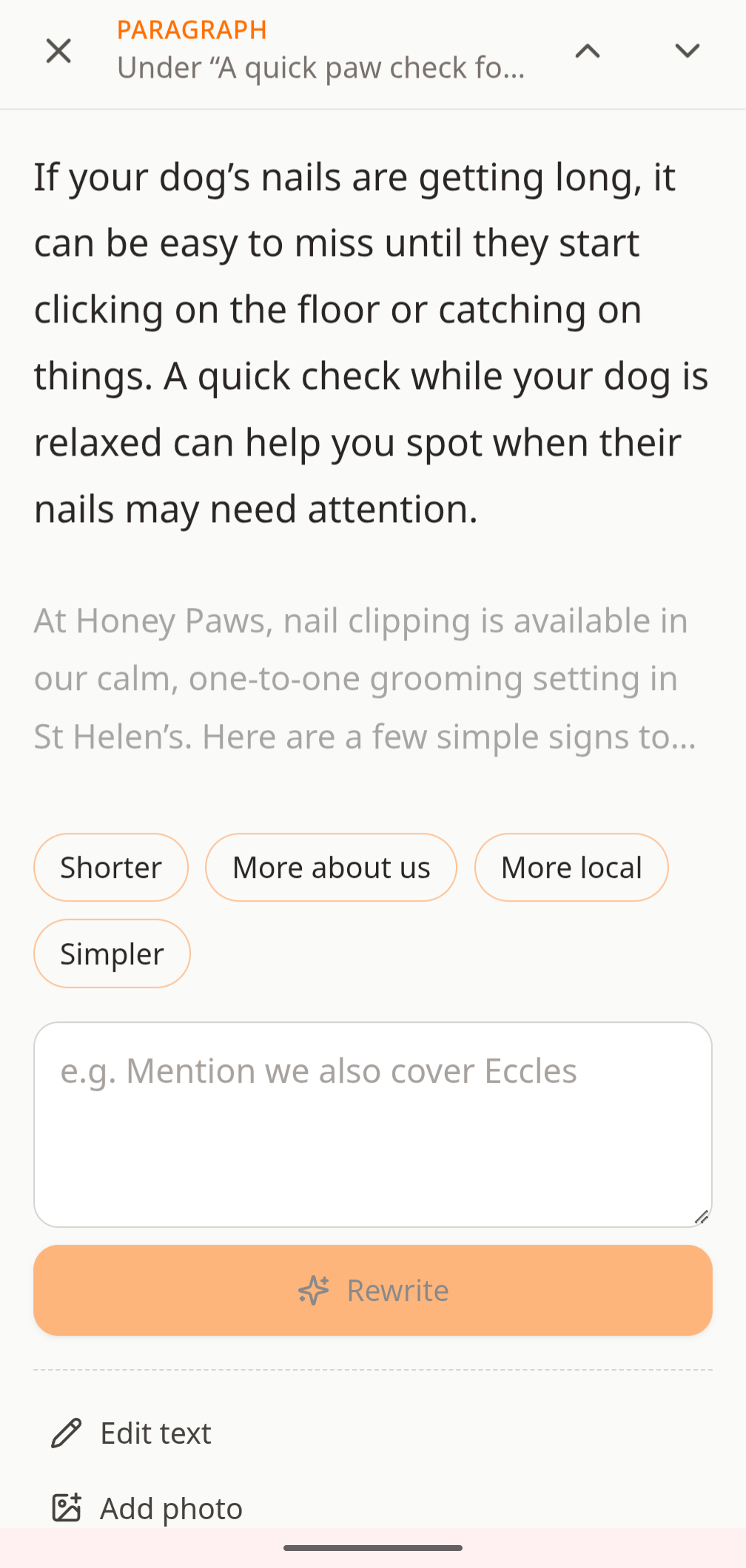
Use Drafts in the Flax mobile app to start anything from a note to an article. You guide the content; AI does the writing with your business context. Drafts stay separate from your live site, so you can dip in when it suits you. When you’re happy with a draft, publish it as a site update.

Flax Drafts screen showing options for articles, notes, service and product pages
Flax Drafts screen showing AI rewrite suggestions for a paragraph

Other ways to use Flax

Prefer to run your site your own way?

Managed is the most hands-off way to use Flax. If you would rather work with your own AI agent, or edit everything yourself, there is a plan for that too.

  • Flax Connect$17/month

    Bring your own AI agent

    Connect Hermes, Codex, Claude or another agent to your site. It can review performance, prepare drafts and make the updates you approve.

    Explore Connect
    Connect an AI to your Flax site screen showing agent setup options
    AI assistant responding with Harbour Physio site statistics and recommendations
  • Flax Classic$12/month

    Edit your site yourself

    The complete Flax website builder and CMS. Add pages, products, bookings and events whenever it suits you, with hosting and SEO handled.

    Explore Classic
    Flax Content screen showing editable business information and site sections
    Compiled Acton and Fox building contractor website shown in the site preview

Start on Sunday, live on Monday

Bring the social graphics or website you already have. Flax turns it into a new site you can launch by the start of the week.

  1. 1Sunday morning

    Bring what you have

    Upload your social graphics or paste your current website address. Flax builds your new site from them.

  2. 2Sunday afternoon

    Connect your accounts

    Link a few accounts and your custom domain, then check your pages.

  3. 3Monday

    Go live

    Launch your site and start taking enquiries.

  4. 4Every week after

    Grow with AI

    Manage and improve your site with AI guided by your search and visitor data.